


Introduction
For most of the past few years, AI lived in a little text box. You typed something in, it typed something back, and then you spent the next ten minutes copy-pasting the output into whatever app you actually needed to use. Useful? Sure. Transformative? Not exactly. The dirty secret of the chatbot era was that the AI never actually touched your work. It handed you words, and you did the rest.
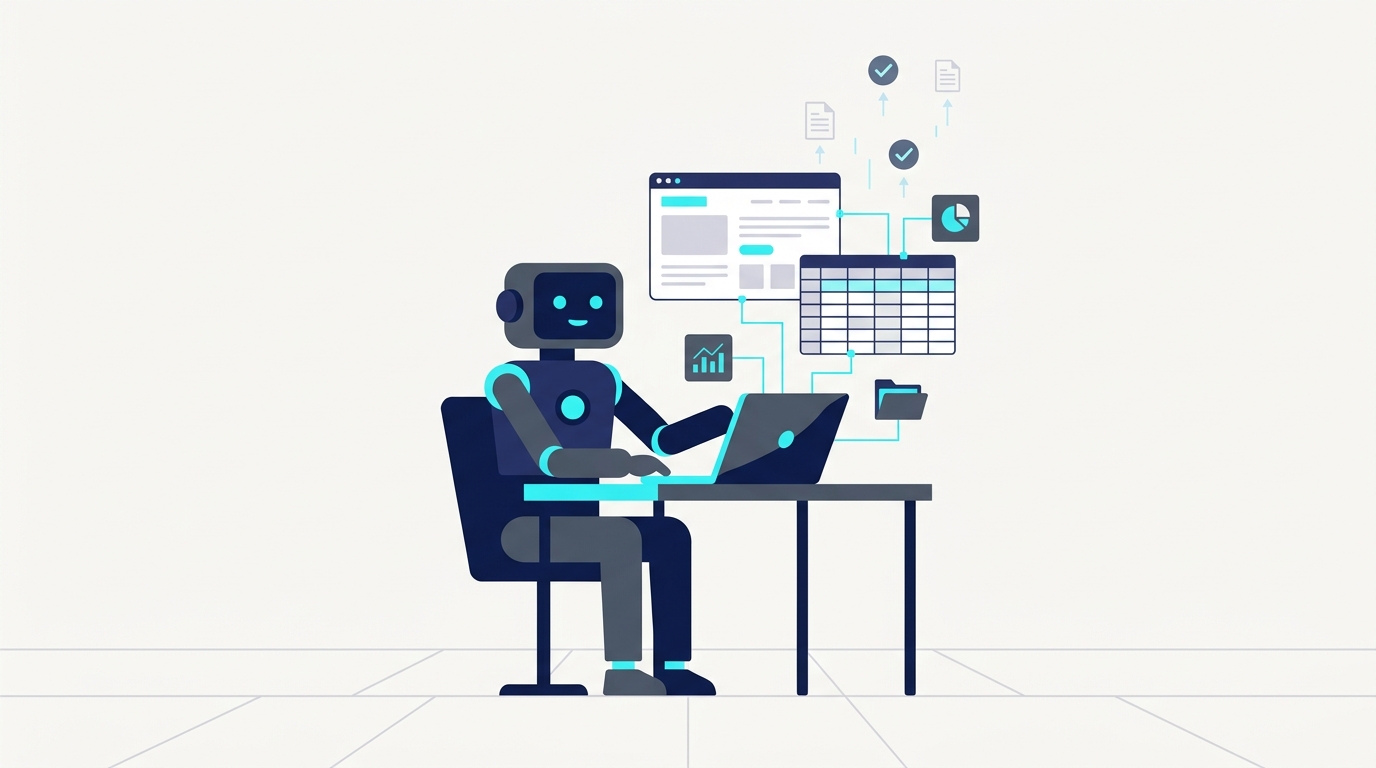
That changed in a meaningful way on May 29, 2026, when Anthropic's platform release notes quietly confirmed the addition of "Anthropic-defined computer use tools" to their API, alongside Claude Managed Agents and webhook support. On paper it sounds like a minor developer update. In practice, it means Claude can now sit down at a virtual computer, look at a screen, move a cursor, and type, the same way a human employee would. Not through a custom API integration your dev team spent three weeks building. Through the actual graphical interface, just like a person.
To understand why that distinction matters, think about the last time you tried to automate something in your business and hit a wall because the software you needed to talk to had no API, or the vendor's API cost extra, or the web portal your county government uses was built in 2009 and has never heard of OAuth. That wall is where most small business automation projects go to die. Claude's computer-use capability is specifically designed to operate in that territory, the messy, GUI-dependent, legacy-software reality that most real businesses actually live in.
The back office is the first place this lands with real force. Invoicing, data entry, spreadsheet cleanup, form submissions across vendor or government portals, these are not glamorous problems. But they are extraordinarily time-consuming, and they are almost entirely made up of the kind of repetitive, rule-following, click-this-then-type-that work that a computer should theoretically be able to handle. The reason it hasn't been handled, until recently, is that the tools capable of doing it (enterprise RPA platforms like UiPath or Automation Anywhere) required significant technical setup and expensive licensing, plus a fragility that meant one UI change in the target software could break your entire workflow overnight.
Claude's approach is different enough to be worth paying attention to. Rather than recording a brittle sequence of pixel-level clicks, the model actually interprets what it sees on screen, reasons about what to do next, and adapts when things don't look exactly as expected. That's a qualitatively different kind of automation, closer to delegating to a junior employee than to setting a macro running.
"Rather than recording a brittle sequence of pixel-level clicks, Claude actually interprets what it sees on screen, reasons about what to do next, and adapts when things don't look exactly as expected."
This post is specifically for the people running businesses or operations teams who have been watching the AI space with a mix of genuine curiosity and healthy skepticism. Not the people who want to debate AGI timelines, and not the people who think a ChatGPT wrapper is a product. The people who have real software and real workflows, and one pressing question: can any of this actually save me time and money, or is it still mostly a demo? The honest answer, as of mid-2026, is that we are right at the edge of "actually useful" for a specific and well-defined category of back-office work. Getting that category right is what the rest of this piece is about.
What "Computer Use" Actually Means (And Why It's Different From Everything Before)
Here is a concrete way to understand what Anthropic actually built. Imagine you hired a contractor and, instead of giving them a key to your office, you set up a computer in a room, pointed a camera at the screen, and told them to get to work. They can see everything on the monitor. They can move the mouse, click on things, and navigate between applications. They just can't reach through the screen and touch the underlying code. That is, roughly speaking, what Claude's computer-use API does. The model perceives the screen as a visual input, reasons about what it sees, and issues actions: move cursor here, click this button, type this string, scroll down.
Anthropic's own description of the capability frames it precisely this way: Claude can "use computers the way people do, by looking at a screen, moving a cursor, clicking buttons, and typing text." That framing is doing a lot of work. "The way people do" is the key phrase, because it means Claude is not relying on a structured data feed or a well-documented API endpoint. It is operating on the same visual interface a human employee would use. Which means it can, in principle, operate on almost any software that has a screen.
The GUI-First Approach vs. Traditional API Integrations
Most business software automation, the kind your IT team or a SaaS vendor would set up for you, works through APIs. Application programming interfaces are essentially back-channel connections that let two pieces of software talk to each other directly, bypassing the visual interface entirely. When APIs work well, they're fast and clean. The problem is that a huge proportion of the software small businesses actually use either has no API, has an API locked behind an enterprise tier that costs four times what you're paying now, or has an API that technically exists but is so poorly documented that integrating with it requires a developer and several weeks of their time.
Government portals are the canonical nightmare example. Try automating a submission to your state's business licensing portal, or a county permit system, or a vendor compliance form that some large retailer requires you to fill out every quarter. These systems were not built with API access in mind. They were built to be used by humans sitting at computers. Claude's computer-use approach meets them exactly where they are. No API required. No custom integration. The model just navigates the portal the same way your office manager would, except it doesn't get frustrated when the session times out for the fourth time.
Why This Is Genuinely Different From What Came Before
The comparison that comes up most often is RPA, robotic process automation, which has been promising to solve exactly this problem for the better part of a decade. Tools like UiPath and Automation Anywhere do operate at the GUI level, recording sequences of clicks and keystrokes that can be replayed automatically. The issue is that classical RPA is extraordinarily brittle. It records a specific sequence tied to specific pixel coordinates or UI element identifiers. When the target application updates its interface, even slightly, the bot breaks. Maintaining RPA workflows at scale becomes a part-time job in itself, which is why RPA adoption has historically been concentrated in large enterprises with dedicated automation teams rather than in small or mid-sized businesses.
Claude's approach introduces something RPA fundamentally lacks: visual reasoning. Rather than replaying a recorded sequence, the model looks at the current state of the screen, interprets what it sees in context, and decides what to do next. Anthropic describes this as the ability to "translate instructions into computer actions" by checking a spreadsheet, opening a browser, navigating to web pages, and filling forms with relevant data, all as a connected reasoning chain rather than a brittle script. If the button moved two inches to the left in an update, Claude notices the button, not the coordinates.
"If the button moved two inches to the left in an update, Claude notices the button, not the coordinates. That single difference is what makes this a qualitatively different kind of automation."
None of this means the technology is perfect or production-ready for every use case right now. Visual reasoning at the speed and reliability required for high-volume back-office work is still a work in progress, and Anthropic itself launched computer use as a public beta, signaling that there are known rough edges. Error rates matter a lot when you're automating something like invoice submission, where a mistake has real financial consequences. The honest framing is that this is a capability that has crossed the threshold from "research demo" to "worth piloting for the right tasks," which is a different and more useful claim than "your back office runs itself now." What the right tasks look like is exactly what the next section gets into.
A Brief History of How We Got Here
RPA was supposed to fix all of this. The pitch, circa 2015 to 2019, was compelling: software robots that could log into your systems, shuffle data between applications, and handle the tedious click-work that was eating your team's time. UiPath went public in 2021 at a valuation of around $29 billion, which tells you how seriously the market took that promise. Automation Anywhere and Blue Prism were raising similarly eye-watering rounds. For a few years there, RPA was the hottest thing in enterprise software.
Then the maintenance bills arrived. The core problem with classical RPA was never the concept; it was the execution cost. Every bot was essentially a recording of a specific set of steps tied to a specific version of a specific interface. Software updates broke bots. Organizational changes broke bots. Someone at the vendor redesigning their login page broke bots. A 2021 analysis by Gartner noted that RPA projects frequently underestimated the ongoing effort required to maintain automation scripts as underlying applications changed, which is a polite way of saying that a lot of companies discovered their "automated" process needed a human babysitter anyway. The dream of set-it-and-forget-it back-office automation kept colliding with the reality of brittle scripts and surprise maintenance windows.
Where Chatbots Fit In, and Where They Didn't
The chatbot wave that followed, peaking roughly between 2020 and 2023, was a different kind of promise. Instead of automating the click-work, the idea was to make information retrieval faster. Ask the bot a question, get an answer. Route a customer inquiry, summarize a document, draft a response. These were genuinely useful capabilities, and the productivity gains in specific tasks were real. A 2023 study published in Science found that access to an AI assistant raised worker productivity on writing tasks by an average of 14 percent, with the largest gains going to less experienced workers.
But chatbots had a ceiling that became obvious pretty quickly. They were advisors, not actors. They could tell you what to do, or draft the thing you needed to write, but the actual doing, opening the software, navigating to the right screen, entering the data, submitting the form, that was still on you. For knowledge workers doing complex creative or analytical work, that was fine. For the people whose jobs consist largely of moving information from one system into another, a chatbot that generates text was only marginally helpful. The bottleneck was never the thinking; it was the clicking.
The Specific Moment Things Shifted
Anthropic's initial computer-use beta, paired with Claude 3.5 Sonnet, was the first credible signal that the clicking problem was being taken seriously at the model level rather than the tooling level. The announcement positioned it as a "groundbreaking new capability" that could automate repetitive processes, conduct research, and build and test software, all by operating the computer interface directly. That was late 2024. The language was appropriately hedged; it was a beta, it had known limitations, and Anthropic was careful not to oversell reliability.
What happened between that initial beta and the May 29, 2026 platform update is the difference between a proof of concept and a product direction. The May 2026 release notes added Anthropic-defined computer use tools to the API alongside Claude Managed Agents and webhook support. That combination matters. Managed Agents means the workflows can run with more autonomy, checking in at defined points rather than requiring constant human prompting. Webhooks mean those workflows can be triggered by external events, a new invoice arriving, a form submission coming in, a scheduled task firing, rather than someone manually kicking them off. The architecture shifted from "impressive demo you run manually" to "background process you configure once."
Ecosystem commentary through 2026 fills in the picture further. One detailed guide to Claude's current capabilities describes a desktop agent mode that can "read and write to your actual files, execute multi-step tasks autonomously, and deliver finished work to your folder," contrasting it explicitly with the chat interface most people still associate with Claude. The same framing introduces Projects as persistent workspaces and Auto Mode as a mechanism for handing off longer-running tasks with a safety checker running in the background. Taken together, these aren't incremental chatbot improvements. They describe something much closer to a digital employee who has their own workspace, can be assigned ongoing responsibilities, and doesn't need to be prompted for every single step. Whether that employee is reliable enough for your specific back-office tasks is a separate question, and a more interesting one.
The Back-Office Use Cases That Actually Make Sense Right Now
Not every back-office task is a good candidate for this kind of automation, and pretending otherwise would be doing you a disservice. The sweet spot is narrow but genuinely valuable: tasks that are high in repetition, low in genuine judgment, and currently bottlenecked by the need to navigate a GUI rather than process information. Think less "strategic financial analysis" and more "copy this data from the vendor portal into the spreadsheet, then submit the updated spreadsheet to the client portal." That second category is where Claude's computer-use capability has real traction right now.
Invoicing and accounts payable workflows are probably the clearest example. A significant portion of small business invoicing still involves manually logging into a client's vendor portal, finding the right purchase order, matching it to an invoice, then entering line items and submitting. It's tedious, it's error-prone when done by a tired human at 4pm on a Friday, and it follows a predictable enough structure that an AI agent can handle it with appropriate oversight. The same logic applies to the reverse: pulling invoice data from supplier portals and entering it into your own accounting system. Neither task requires creativity. Both require patience and attention to detail, which, it turns out, are things AI agents have in abundance.
Spreadsheet Cleanup and Data Entry
Spreadsheet work is another category worth taking seriously. Not complex financial modeling, but the grunt-work layer underneath it: reformatting exported data from one system so it can be imported into another, deduplicating contact lists, filling in missing fields by cross-referencing another source, standardizing date formats across a dataset someone exported from three different tools. These tasks are currently eating hours of skilled employees' time every week, and they are almost perfectly suited to an agent that can see a screen, open files, make edits and save results. The Cowork framing that has emerged around Claude's desktop agent capabilities, where the model can "read and write to your actual files" and "deliver finished work to your folder," maps directly onto this category of work.
The productivity case here is not speculative. A 2023 National Bureau of Economic Research working paper studying generative AI tools in a customer support context found that access to an AI assistant increased worker productivity by 14 percent on average, with workers handling 13.8 percent more customer issues per hour. That study was about chat-based assistance, not computer-use automation. The implication is that the productivity gains from an AI that can actually complete tasks, rather than just advise on them, should be at least as large, and plausibly larger for the most repetitive work.
Form Submissions and Web Portal Navigation
Form submission across external web portals is the use case that gets the least attention in AI coverage and probably deserves the most. Any business dealing with government agencies, insurance providers, or compliance-heavy enterprise clients knows the particular misery of portal-based submission work. These portals were not designed for your convenience. Built by committee and rarely updated, they require a human to log in, navigate several screens, upload documents in specific formats, fill in fields that could have
Sources
Introducing computer use, a new Claude 3.5 Sonnet, and upgraded Claude 3.5 Haiku, Anthropic's original announcement of the computer-use capability as a public beta, including the core description of how Claude perceives and interacts with computer interfaces.
Claude Platform API Release Notes, Anthropic's official changelog documenting the May 29, 2026 addition of Anthropic-defined computer use tools, Claude Managed Agents, and webhook support.
Everything Claude Has Shipped in 2026: A Complete Guide, a detailed overview of Claude's 2026 feature releases including Cowork, Projects, and Auto Mode, used to contextualize the shift from chat assistant to desktop agent.
Claude Just Had a Crazy 2026: The 18 Features You Need to Stay Current, an independent summary of Claude's major capability releases across 2026, providing ecosystem context for the agentic workflow framing.
Anthropic April 2026 Announcement Recap, a summary of Anthropic's April 2026 platform updates, supporting the timeline of Claude's evolution from beta to managed agent infrastructure.
Claude Updates by Anthropic, June 2026, a release tracking resource documenting Anthropic's most recent Claude updates, used to verify the current state of the computer-use and agentic API features.
March 2026 Claude AI Outages Highlight Enterprise Cloud Dependency, an independent report on Claude service reliability issues in early 2026, relevant context for the discussion of oversight and production deployment risks.
Claude's computer use feature, released in early 2026, short-form independent commentary on the computer-use rollout, illustrating broader public awareness of the capability shift.
.svg)